
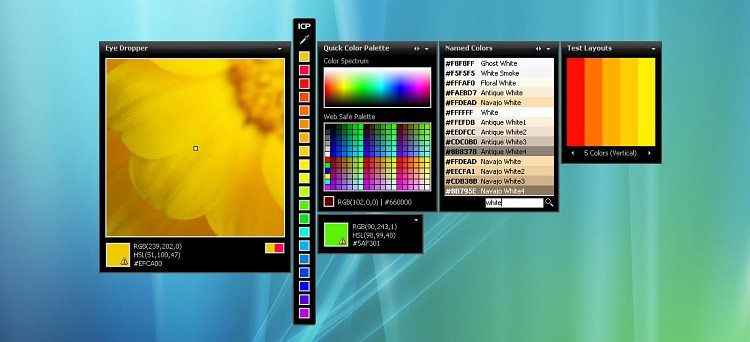
YS Instant Color Picker is freeware. You can download and use it freely. If you think Instant Color Picker is useful, please consider donating. System Requirements: Windows 98/2000/ME/XP/Vista.
1. Download ICP
Click on one of the links below to download YS Instant Color Picker.
Click here to download Instant Color Picker (It is FREE!)
2. Save to your computer
A window will open asking what to do with icp_setup.exe. Click Save/OK and save the file to the desktop.
3. Install
Double-click on the setup file. ICP Setup wizard will appear and guide you through the rest of the installation.
4. Ready to Launch!
You can now open ICP by clicking its icon on your desktop or in Start Menu.
Tip: Right click ICP’s title for main menu.
Download ICP
Download the free Instant Color Picker here.
Here are free gaming downloads for your enjoyment!
Americas Cardroom Download – leading US-friendly poker software.
Get the free Ladbrokes Casino download at https://ladbrokescasinodownload.co.uk – which includes live dealers.
Get 10 quid free with the William Hill Casino download at https://pokercasinodownload.co.uk/william-hill-casino-download/. Find more UK poker and casino downloads at PokerCasinoDownload.co.uk.